Bank Cybersecurity Updates and Banking Outages: What Customers Should Know
Bank cybersecurity patching can briefly interrupt digital services without meaning customer money has disappeared. Bank of America CEO Brian Moynihan said recent disruptions reflected fast security updates, not hackers draining accounts, though customers should still verify unusual activity and contact their bank through official channels.
Key Takeaways- A temporary app or balance-display problem does not, by itself, prove that funds are missing.
- Security patches can cause interruptions, but a disruption can also have other causes; check what your bank actually reports.
- Deposit insurance protects eligible deposits if an insured bank fails, within applicable limits. It does not guarantee uninterrupted app access or reimburse every type of fraud.
- Use official bank contacts, account alerts, strong login protection, and transaction controls where available.
- Keep a backup plan for essential payments instead of relying on one app or transfer route.
The distinction matters because banking now runs through networks of apps, payment rails, data centers, and outside technology providers. A service hiccup can leave customers staring at a blank screen just when rent, payroll, or a bill is due. That is unsettling. It is also different from evidence that someone has taken the money.
In a Tuesday appearance on “Fox & Friends,” Moynihan said artificial intelligence has increased the speed at which cyber threats can be created and deployed. He described Bank of America and its software vendors testing their systems with AI models, then applying software patches quickly when they find weaknesses. He said that work can temporarily disrupt service. Those are the CEO’s explanations of the events—not a guarantee that every outage has the same cause.
Moynihan also said Bank of America had increased cybersecurity resources by 30%. He put the bank’s AI spending for the year at about $250 million, estimating $600 million to $700 million in efficiency benefits, with roughly one-third of those AI dollars going to cyber defense. These figures are his reported estimates, not an independent audit of the bank’s spending or results. Customers should take the practical lesson, not treat executive claims as proof that systems cannot fail.
What Are Real-Time Cybersecurity Updates?
A cybersecurity patch is a software change intended to fix a weakness, close a route into a system, or address another technical problem. Banks apply patches to the systems behind online banking, mobile apps, payments, customer records, and connections to outside providers. Some updates are routine; others may be rushed when a serious vulnerability needs attention.
The trade-off is plain. A bank wants a fix deployed before an attacker exploits a weakness, but a hurried change can affect connected services or require parts of a system to restart. Customers may then see an app error, a delayed transfer, or account information that has not refreshed. A display problem can look alarming without proving that the underlying account balance has changed.
That does not mean “it was just a patch” should end every inquiry. An outage can come from a software update, a vendor failure, a network issue, a traffic spike, a cyberattack, or several problems at once. The public may not know the cause immediately, and a bank may have limited information while it investigates. Ask the institution for updates rather than filling the gap with rumors.
Moynihan said Bank of America did not have an internal outage during the widespread technology disruptions he discussed, although some customers temporarily could not transfer funds to affected outside banks. That distinction matters: a transfer can fail because a receiving bank or another service is unavailable even when the sending bank’s own account system is working. The customer experiences a problem either way. The source of the problem still matters for the remedy.
Banks also depend on vendors. A bank may control its customer app but rely on outside companies for parts of its infrastructure, identity checks, data processing, or communications. The Office of the Comptroller of the Currency’s guidance on third-party relationships underscores that banks must manage risks tied to those relationships. In plain English, a bank can be affected by a provider’s failure even if its own staff did not cause the fault.
When I assess a reported outage, I separate three questions: Can customers access the service? Are transactions being processed correctly? Is there evidence of unauthorized activity? Those questions can have different answers. A blocked transfer is not the same as a missing deposit, and a temporary inability to log in is not proof that an account has been breached.
Here’s the kicker: security work and service reliability are not competing goals, but they can collide during deployment. Banks need both. A patch that arrives late can leave a door open; a patch that is tested poorly can interrupt ordinary banking. Responsible institutions should explain what customers need to do, provide status updates, and restore service without asking people to guess.
Why Cybersecurity and Service Reliability Matter
Banking services are not a convenience for everyone. Direct deposits pay for food and housing, while scheduled payments keep utilities and insurance current. When an app stalls, the inconvenience can land hardest on people who have little cash cushion or who cannot easily visit a branch. Protecting access is part of protecting customers’ ability to manage ordinary life.
There are several reasons to take cybersecurity seriously without assuming every technical failure is an attack:
- Automated threats can move quickly. Moynihan said AI tools can help bad actors work faster because some tasks no longer require a person to carry them out step by step. That is his assessment of the threat. The same broad class of tools can also help defenders identify weaknesses and speed up repairs.
- A visible outage is not a diagnosis. A failed login, delayed payment, or stale balance is a symptom, not a report on what caused it. Banks need time to examine system logs and vendor connections before giving a reliable explanation.
- Strong defenses protect more than a bank’s balance sheet. They help safeguard deposits, personal information, payment records, and confidence in the financial system. That confidence is fragile when customers receive no clear guidance.
- Third-party dependencies deserve attention. Customers often think of “the bank” as one system. In reality, a transaction can rely on several institutions and technology providers. One weak link can delay a transfer even if other parts are functioning.
- Security spending should be judged by outcomes, not slogans. Moynihan described a 30% increase in Bank of America’s cybersecurity resources and an AI budget of about $250 million. More spending may help, but it does not guarantee that outages disappear or that every risk is covered.
Moynihan estimated the bank’s AI investment would produce $600 million to $700 million in efficiency benefits and said about one-third of its AI spending went directly to cyber defense. That is notable, but customers should distinguish an executive estimate from a regulator’s finding or audited result. A large number is not the same as evidence that a specific outage was harmless.
The government has a role, too. Moynihan said banks work with federal agencies and the White House, and that state-sponsored cyber activity may require government action against the source of an attack. Banks can protect their own systems, share information, and coordinate responses; they cannot independently shut down every hostile actor operating beyond their reach. That is why cybersecurity is a public-safety concern as well as a private business expense.
The Federal Reserve’s cybersecurity resources describe the supervisory focus on managing cyber risk in financial institutions. That does not mean any particular bank is immune. It does mean customers have reason to expect banks to plan for disruptions, test recovery procedures, and communicate clearly when something goes wrong.
There is a stewardship point here, too. A bank holds money people earned through work and rely on for their families; safeguarding it is a practical responsibility, not merely a technical exercise. The common good depends on payment systems that are both secure and dependable. Frankly, a polished app matters less than a bank that tells the truth and restores essential services competently.
What to Do During a Banking Glitch
A calm checklist is more useful than refreshing the app fifty times. Use these steps when a bank app, online account, card, or transfer does not behave as expected.
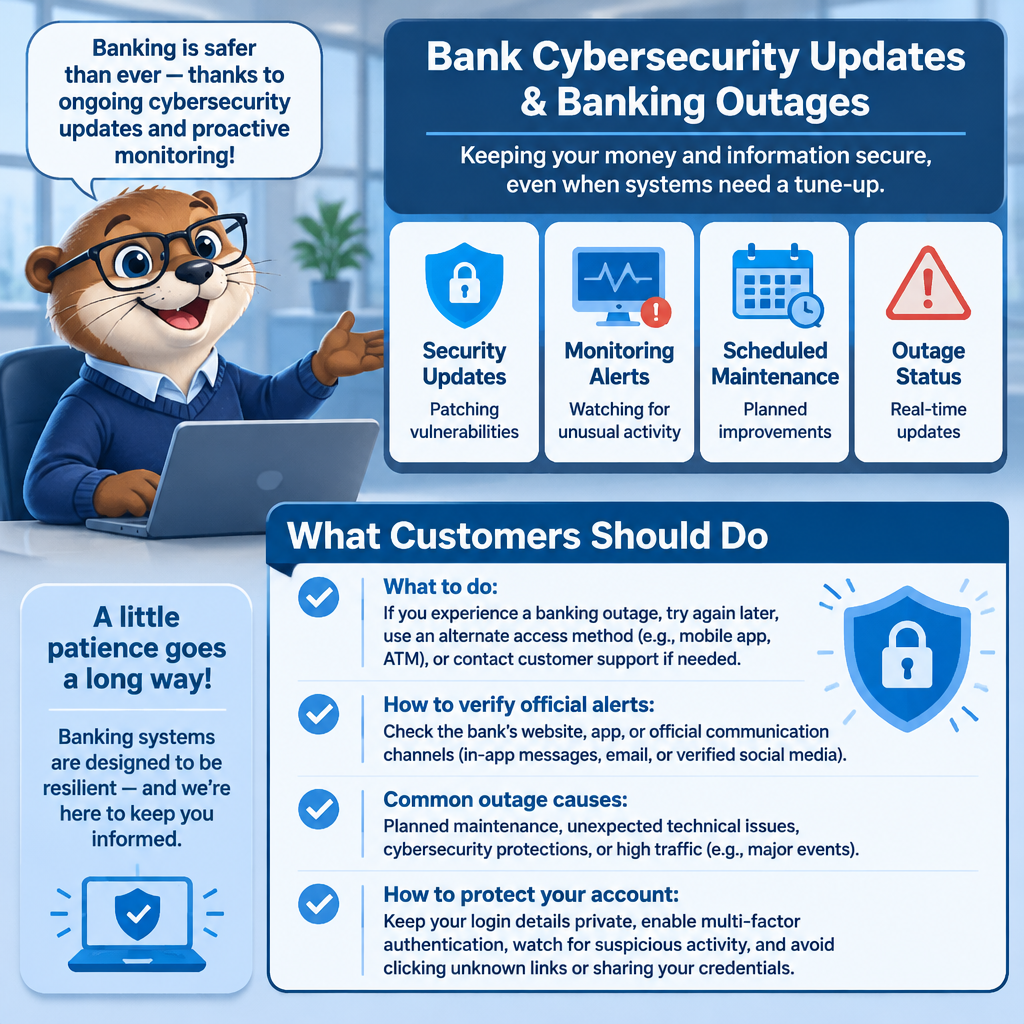
- Check the bank’s official status information. Use the app, the bank’s verified website, or a phone number printed on your card or statement. Search results, social media posts, and text-message links can send you to impostor pages. If the bank reports an outage, note what services are affected and when it expects to provide another update.
- Do not assume a displayed balance is the final word. A balance that looks wrong may reflect delayed account data, pending transactions, or a service that cannot refresh. Check again after the bank says service has returned. If the issue remains, contact the bank and ask it to review the account ledger and transaction history. Do not spend or transfer money based only on a balance you suspect is stale.
- Avoid repeating a payment before checking its status. A payment screen can time out even when a transaction has reached the next stage. Submitting it again may create a duplicate payment. Look for a confirmation number, pending status, or posted transaction; if you cannot tell, ask the bank or merchant before trying again.
- Protect your login details. Never give a caller or texter your password, one-time passcode, or full security credentials. Banks may ask questions to verify identity, but unsolicited messages that demand a code or threaten immediate account closure deserve suspicion. Go directly to the bank’s official app or use the number on your card.
- Turn on useful alerts. Moynihan advised customers to enable automated account notifications and consider transaction blocks for specified amounts where available. Alerts for withdrawals, transfers, card purchases, and low balances can help you spot activity sooner. Set them to fit your real spending; an alert system that floods your phone can become noise.
- Keep a modest backup for essential bills. If a paycheck or transfer is delayed, a second payment method or a small cash reserve can help with necessary expenses. This is not an argument for keeping large sums at home or abandoning digital banking. It is ordinary risk management: avoid making one app the single point of failure for every urgent payment.
- Report suspicious transactions promptly. If you see a transfer or charge you did not authorize, contact the bank through verified channels, ask it to secure the account, and follow its instructions for disputing the transaction. The Consumer Financial Protection Bureau explains steps consumers can take when they spot an unfamiliar charge in its guide to reporting unauthorized transactions. Keep dates, confirmation numbers, and copies of messages.
- Ask precise questions. “Is my account affected?” is useful, but “Did this transfer leave my account, is it pending, and should I submit it again?” is better. Ask whether the bank sees unauthorized access, whether payment instructions remain queued, and when to check back. A specific answer can prevent a costly guess.
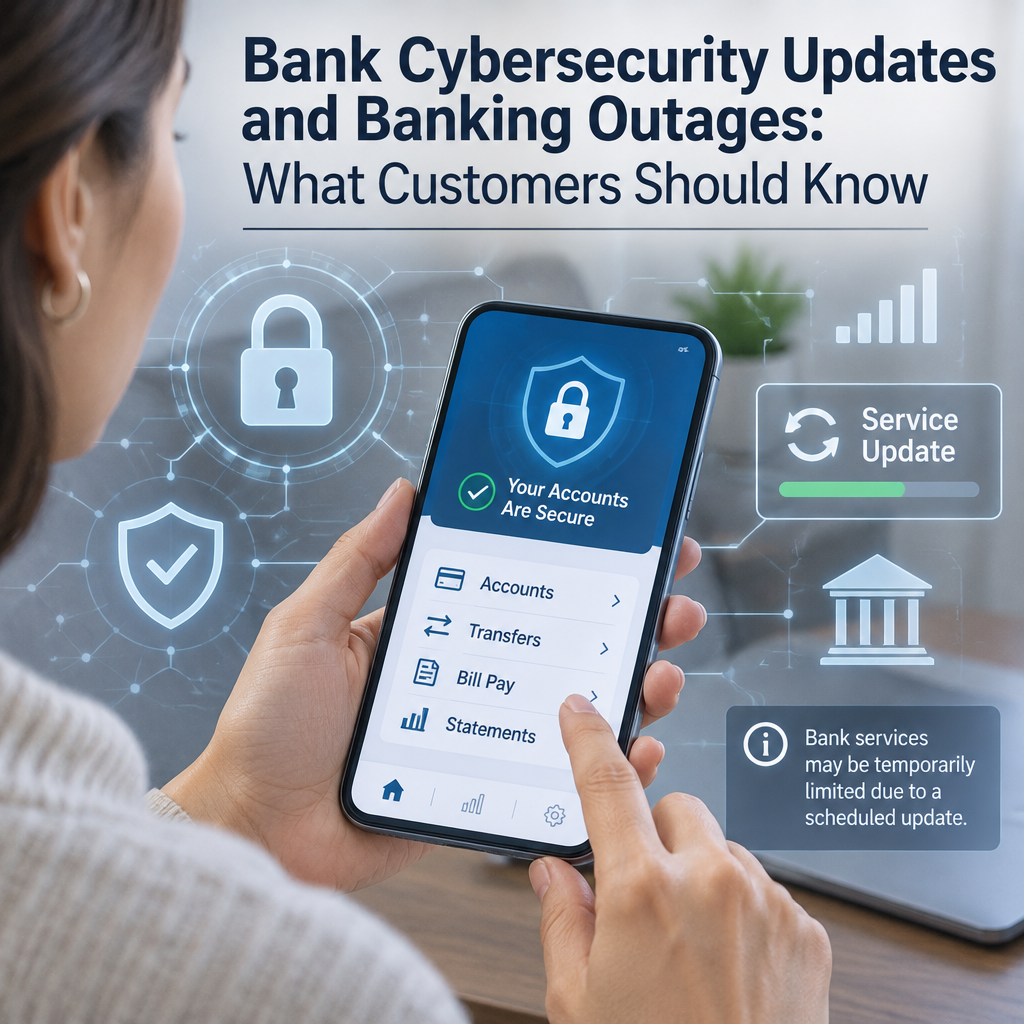
I would not move money in a panic because an app briefly shows an unexpected number. First confirm what the bank’s records show and whether the institution has issued a verified notice. If you cannot reach the bank and a payment is urgent, use a known alternate contact route or payment method—not a link in a message claiming to offer a shortcut.
Real-Time Patching vs. Account-Hacking Fears
Customers often face two explanations for a banking problem: a technical disruption during maintenance or security work, or an attack intended to steal access or money. They are not interchangeable. The table separates what Moynihan reported from what a customer can reasonably infer.
| Issue | Real-time patching or service disruption | Account theft or malicious access |
|---|
| What it means | Software or connected services are updated, tested, or temporarily unavailable. | Someone may have obtained access or initiated activity without permission. |
| What Moynihan reported | Bank of America used rapid patching to address vulnerabilities; he said the bank had no internal outage during the widespread technology disruptions discussed, though some customers could not transfer to affected outside banks. | He said the cited glitches were not hackers draining Bank of America accounts. That is the CEO’s account of those events, not proof that account fraud never occurs. |
| Possible customer symptom | An app error, delayed data, or a transfer that cannot complete. | Unrecognized logins, changed contact details, or transactions the customer did not authorize. |
| What the symptom proves | Not much on its own. A display failure does not establish that funds are missing. | Suspicious activity should be reported promptly, but a glitch alone is not evidence of theft. |
| Figures reported | Moynihan cited a 30% increase in cybersecurity resources, about $250 million in AI spending, and $600 million to $700 million in expected efficiency benefits. | No figure in his comments establishes the amount of customer losses from these specific glitches. |
| Useful response | Check official service notices, confirm transaction status, and wait for account data to refresh before repeating a payment. | Contact the bank through a verified channel, secure access, report the transaction, and follow the dispute process. |
A reported “$0” balance can frighten anyone. But a temporary display failure may mean the system cannot retrieve account data, not that the bank has removed the funds. Verify the balance through another official channel when possible, and ask the bank to check the underlying account record. Do not rely on an unfamiliar caller who claims to be fixing the problem.
Deposit insurance also needs a careful explanation. The FDIC says it protects eligible deposits at insured banks if the bank fails, subject to coverage limits and ownership rules; it is not a warranty against every interruption, delayed transfer, or scam. Customers can review the FDIC’s deposit insurance information to understand coverage. If the issue is fraud or an electronic transfer dispute, contact the bank promptly and ask about the correct process rather than assuming deposit insurance applies.
Bank of America’s CEO also said the five or six largest U.S. banks together employ roughly as many cybersecurity professionals as the federal government. That comparison was his estimate and should not be treated as a precise census of staffing. The broader point is that large banks devote substantial resources to cyber defense, while public agencies remain necessary for threats that cross institutional or national boundaries.
The practical comparison is therefore not “patches are safe, hackers are scary.” Both system reliability and account security need attention. A bank can patch carefully and still experience a vendor outage; a functioning app can still contain a fraudulent transaction. Check the transaction record and the bank’s notice, not just the feeling created by a screen.
Common Mistakes to Avoid
Treating every outage as proof of a hack. That conclusion spreads quickly online, but a login failure does not establish that an attacker entered the system. A software change, a vendor problem, or routine maintenance may interrupt access. Ask what the bank has confirmed, and separate confirmed facts from speculation.
Assuming a bank executive’s explanation answers every customer’s case. Moynihan described Bank of America’s view of the disruptions he discussed. That does not establish the cause of a different outage at another institution or resolve a specific customer’s disputed transaction. Use the explanation as context, then ask your own bank about your account.
Confusing deposit insurance with a fraud guarantee. FDIC coverage applies to eligible deposits when an insured bank fails, up to applicable limits. It does not promise that an app will work at all times, and it should not be treated as automatic reimbursement for a scam or unauthorized payment. For account-specific concerns, contact the bank and ask which protections and dispute rules apply.
Clicking a link in an urgent text. Criminals exploit confusing news. A message saying “your account is frozen—verify now” may be designed to capture credentials. Do not use the link or call the number in the message. Open the official app yourself or use contact information from a bank card, statement, or verified website.
Submitting a transfer repeatedly. A slow screen encourages impatient tapping. If the original payment is still pending, another submission can create a duplicate. Check the transaction status or ask the bank before resending funds, especially for rent, payroll, or a large bill.
Ignoring alerts because they are inconvenient. Notifications can be noisy, but disabling every alert removes a useful early warning. Choose a few meaningful triggers—large withdrawals, new payees, low balances, or card-not-present purchases—and review them periodically. The right settings depend on how you use the account.
Keeping no backup for ordinary disruptions. A backup does not need to be elaborate. Keep a second way to pay a necessary bill and know how to reach the bank if the app is down. Households with tight budgets may not be able to maintain a large reserve, but even a written list of billers and due dates can make a short outage easier to manage.
Taking investment action based on a single outage headline. A temporary service interruption does not automatically mean a bank is insolvent or that its stock is a bargain or a warning sign. Investors should examine financial statements, capital, liquidity, regulatory disclosures, and repeated operational failures over time. A dramatic headline is not an investment thesis.
Most guides say “stay calm” and stop there. That advice is too thin. Calm helps, but a record of the issue, a verified call, and a clear answer about transaction status are what actually reduce avoidable mistakes.
Frequently Asked Questions
Does a temporary $0 balance mean my money is gone?
No—not by itself. A temporary balance display may mean the system is not retrieving account information, but only your bank can confirm what its records show. Check the bank’s official service updates, review the account again when service returns, and contact the institution if the balance remains wrong or transactions look unfamiliar. Do not treat a display error as proof of theft, and do not ignore suspicious activity.
Does FDIC insurance cover a banking app outage?
No. FDIC deposit insurance generally protects eligible deposits at an insured bank if that bank fails, subject to coverage limits and ownership rules. It does not guarantee continuous access to an app or compensate customers simply because a transfer is delayed. For unauthorized transactions, report the problem to your bank promptly and ask which dispute and account-protection procedures apply.
What should I do if a bank transfer fails during an outage?
First check whether the transfer is pending, completed, or rejected before submitting it again. Use the bank’s official app or contact details, and save any confirmation number or error message. If money was deducted but the recipient did not receive it, ask the sending bank to trace the transaction and explain the expected timing. Avoid urgent links and calls from unverified sources.
Should I move my money to another bank after a cyber outage?
Not solely because of a brief app problem. Consider verified information about the bank, the length and frequency of service failures, how it communicates, and whether your deposits fall within applicable insurance coverage. If you have a specific concern, ask the bank for a direct explanation and review official disclosures. A rushed transfer can create payment problems of its own.
Final Thought
Digital banking has made everyday money management faster, but speed has a cost: customers now depend on systems they cannot see and vendors they may never have heard of. A screen can go blank at exactly the wrong moment. That deserves a clear response from the bank, not a shrug and not a rumor dressed up as certainty.
Moynihan’s comments offer one explanation for recent disruptions: banks are patching systems quickly because automated threats move quickly, and some updates can interrupt service. He also said Bank of America had not experienced an internal outage during the disruptions he discussed, while some transfers involving outside banks were affected. Those statements should be read as the bank CEO’s account—not as a blanket explanation for every bank failure or a promise that customer accounts face no risk.
For customers, the sensible approach is ordinary prudence. Verify notices through trusted channels, check transaction status before repeating a payment, protect login credentials, turn on useful alerts, and report unfamiliar activity promptly. Know what FDIC insurance does and does not cover. Keep a practical backup for necessary payments if you can.
For banks, the standard should be higher than “we spent more.” Security work needs disciplined testing, resilient vendor arrangements, dependable recovery plans, and plain communication when systems falter. Money represents hours of work and obligations to other people; safeguarding access to it is a matter of stewardship and trust. The best security program is not one that claims nothing can go wrong. It is one that finds problems early, limits harm, and tells customers what to do next.